
Why a game?
A game is the best stress test for a developer's fundamentals. It forces you to think about state management, performance, and timing — all in real time, with zero tolerance for lag. If your architecture is bad, the game will tell you immediately. Nobody "sort of" plays a laggy game.
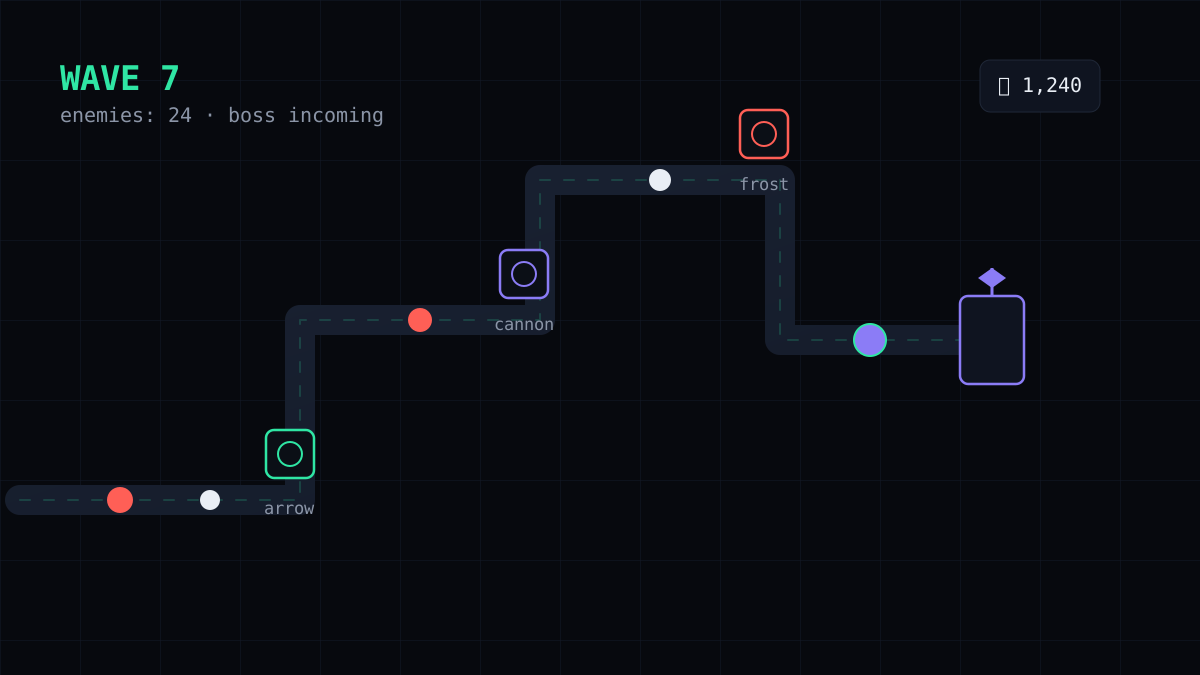
BrainR is a tower defense game: place towers, stop waves of enemies, survive boss battles. Built entirely with HTML5 Canvas and vanilla JavaScript.
The game loop
Every frame, three things happen in order:
update(dt)   → move enemies, fire towers, check collisions
render()     → draw everything to the canvas
next()       → queue the next frame via requestAnimationFrame
The key insight: always use delta time (dt). If you move enemies by
a fixed amount per frame, the game speed changes with the monitor's refresh rate. Delta time makes
the simulation frame-rate independent — the same lesson applies to any real-time system.
Enemy AI without overthinking it
Tower defense enemies follow a path, so I kept it simple: each enemy holds a list of waypoints and moves toward the next one. No pathfinding needed because the path is fixed per level. The complexity went into the variety — fast enemies, armored enemies, healers, and bosses with special behaviors.
Towers: a lesson in data-driven design
Instead of hard-coding each tower, I modeled them as data:
const TOWERS = {
  arrow:  { damage: 12, range: 140, rate: 0.5, color: "#2FE6A4" },
  cannon: { damage: 40, range: 120, rate: 0.25, color: "#8B7CF6" },
  frost:  { damage: 4,  range: 110, rate: 0.3,  slow: 0.4 },
};
Adding a new tower type became a one-line change. This data-driven approach is the same pattern I use in web apps — separate the definition of things from the code that acts on them.
Boss waves
Bosses are just enemies with more HP and a scripted behavior set — every few attacks they do something dramatic. Implementing them as a layer on top of the base enemy class (not a special case scattered through the code) kept the game maintainable as it grew.
// lesson
Games and web apps share the same core. State management, the render loop vs. the update loop, and performance budgets map directly to React, Node, or any real-time backend.
Performance notes
- Object pooling for projectiles — avoid garbage collection hitches mid-game.
- Culled off-screen draws and avoided expensive shadow effects on mobile.
- Used
requestAnimationFramefor smooth, battery-friendly rendering.
Ship it
BrainR is live at brainr.netlify.app with the source on GitHub. The most valuable thing it taught me: small systems composed cleanly beat one big clever system — and that applies whether you're spawning enemies or rendering a dashboard.